Do You Really Need a Laptop?
For years, people have been chasing the idea of a truly portable computer. Not a smartphone pretending to be a computer, and not a laptop squeezed into a smaller enclosure, but something that can fit in a pocket while still providing a real keyboard and a proper computing environment.
The problem is that most attempts come with compromises. Tiny laptops tend to be bulky. Smartphones are great for consuming content but often frustrating for serious work. Even many so-called cyberdecks end up becoming oversized desktop replacements that happen to have a carrying handle.
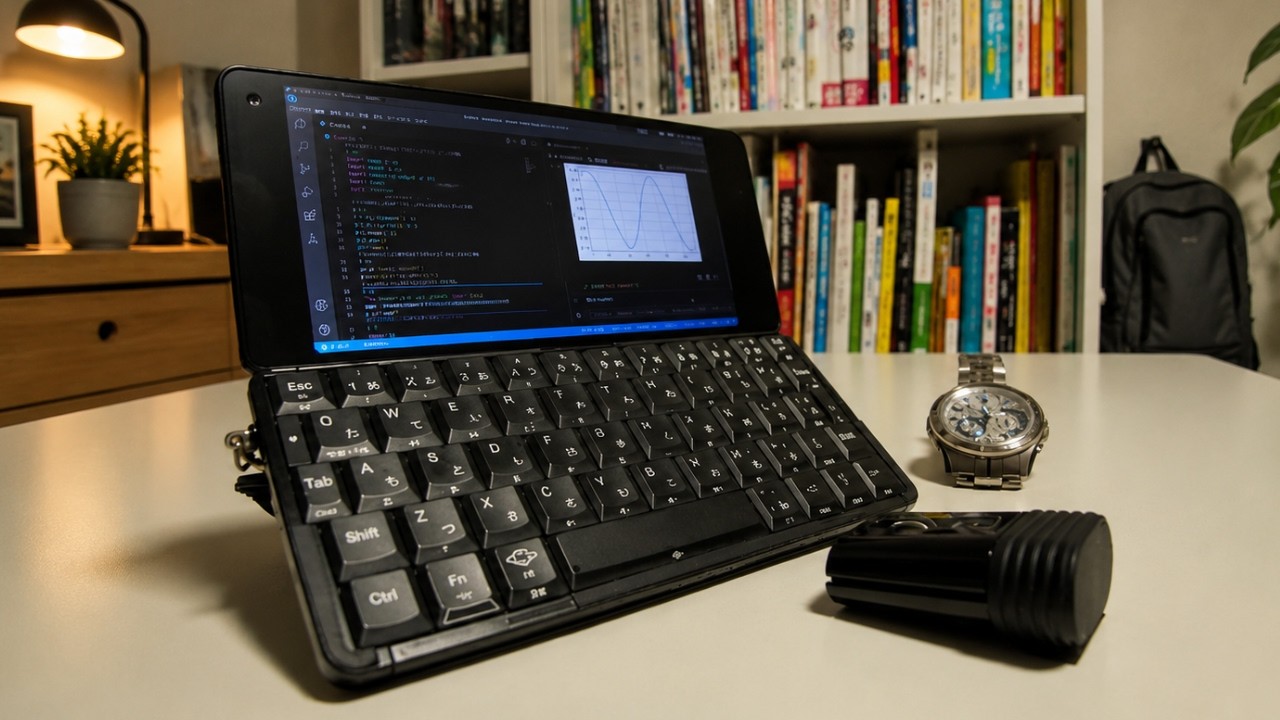
YouTuber jvscholz recently explored a different approach by turning an aging Cosmo Communicator into a pocket cyberdeck.
A Forgotten Piece of Hardware
Released by Planet Computers in 2019, the Cosmo Communicator looked like something halfway between a smartphone and a miniature laptop. The device featured a clamshell design with a physical keyboard, a large internal touchscreen, and a smaller external display on the outside of the case.
Unlike many modern phones, it also included two USB-C ports, a headphone jack, dual SIM support, and expandable storage through a microSD card.
By today's standards, the hardware is showing its age. The device is powered by a MediaTek Helio P70 processor paired with 6 GB of RAM and 128 GB of storage. That's hardly cutting-edge hardware in 2026, but it turns out to be more than capable of handling terminal sessions, text editing, and development work.
Running Linux on Bare Metal
Rather than using a terminal emulator inside Android, the project takes things a step further.
The Cosmo Communicator has been configured to dual-boot Android and Debian Linux, allowing the device to run a full ARM64 Linux environment directly on the hardware. Getting everything working required updating the phone through multiple firmware revisions before installing Debian onto a microSD card and configuring the dual-boot environment using community-developed tools and documentation.
To make better use of the limited screen space, the default desktop environment was replaced with the i3 window manager. Additional time was spent configuring fonts, display settings, and keyboard behavior to create a workflow optimized for keyboard-driven productivity.
Built Around Doom Emacs
The real reason for the project isn't Linux itself. It's Doom Emacs.
The creator uses Doom Emacs along with org-mode and org-roam to manage notes, schedules, habits, and personal information. Because the version of Emacs available through Debian's repositories wasn't suitable for the workflow, it had to be compiled directly on the device.
Data synchronization is handled through Git, allowing notes and schedules to move between systems while remaining under the user's control.
This focus on text-based workflows is what makes the cyberdeck concept practical. The hardware isn't powerful enough to compete with modern laptops, but it doesn't need to be. Most of the work involves writing, planning, and managing information rather than running demanding applications.
Not Quite Perfect
As much as the project succeeds as a proof of concept, the creator is honest about its shortcomings.
Battery life isn't particularly impressive, requiring daily charging. The keyboard requires firm key presses and may not hold up well over time. The display only opens to a fixed angle, which can make longer typing sessions uncomfortable.
Even so, there's something appealing about carrying a full Linux computer in a pocket.
The project serves as a reminder that older hardware can still have plenty of life left in it. Sometimes all it takes is a different operating system and a clear idea of what you want the device to do.